Tampilkan postingan dengan label News. Tampilkan semua postingan

Rabu, 29 November 2017

ASUS ZenFone 4 Max Plus with 18:9 Display and Face Unlock

ASUS ZenFone 4 Max Plus with 18:9 Display and Face Unlock


Back in July 2017, ASUS introduced ZenFone 4 Max with 5000 mAh battery and dual lens camera. According to helpix.ru, soon there is a new ZenFone 4 Max plus and bring 18:9 screen display to Russian market. ZenFone 4 Max plus will be the first ASUS device using 18:9 screen ratio.


The phone equip with 4,130mAh battery, enough for 13 hours of video playback. And using MediaTek 6750T chipset (also used in the Zenfone 3s Max) features eight Cortex-A53 cores so it is not fast and the older 28nm process doesn’t help its power efficiency.


The phone runs Android 7.0 Nougat styled with ZenUI 4.0. Memory options are 2GB of RAM and 16GB storage or 3GB/32GB. ZenFone 4 Max plus is a dual-SIM phone with a dedicated microSD slot.


Like its Zenfone 4 Max siblings, this one features a dual camera on the back – 16MP + 8MP (the second cam has a wide-angle lens). There’s also an 8MP selfie cam on the front. The front camera also does face unlocking, though if you want security you better use the fingerprint reader on the back.


No fast charge – you get a fairly standard 10W charger, which needs 3 hours to go from 0% to 100%. Price and launch date are yet to be announced.


ASUS ZenFone 4 Max Plus Specifications
Screen S-IPS, 5.7 ", 1080x2160, 16M colors, touch, capacitive, multitouch, blue filter, 2.5D
Iron 1.5 GHz, MediaTek MT6750T, 8 cores: 4 x Cortex-A53 1.5 GHz + 4 x Cortex-A53 1 GHz, Mali-T860 MP2
Memory RAM 3 GB, ROM 32 GB, Micro-SD up to 256 GB, 2/3 GB RAM, 16/32 GB ROM
Mobile Internet LTE cat.4 150/50 Mbps
HSDPA 42.2 Mbps, HSUPA 5.76 Mbps
EDGE
Mobile networks LTE Bands 1-3,5,7,8,20,40
UMTS 850, 900, 1900, 2100
GSM 850, 900, 1800, 1900
Battery Li-Ion, 4130 mAh
Dimensions 152.6 x 73 x 8.8 mm
The weight 160 g
Camera 16 MP, flash, autofocus, dual: 16 MP f / 2.0 + 8 MP 120 °, slow-motion shooting
front: 8 MP, f / 2.0, 85 °
Navigation GPS, GLONASS
OS Android 7.0 Nougat, ZenUI 4.0
Android 8.0 Oreo now available for ZenFone 3

Android 8.0 Oreo now available for ZenFone 3


ASUS ZenFone 3 owners can now upgrade their smartphone to the latest version of Android, but it’s probably best to avoid the update for now.

ZenFone 3 owners can upgrade to Android 8.0 Oreo today.


The Taiwanese smartphone start-up has shared the first public beta for the upcoming operating system upgrade.

With this update, ZenFone 3 is the first ASUS Oreo Smartphone enjoy the benefits of the latest Android software update.


Android 8.0 Oreo includes picture-in-picture functionality, enabling users to continue watching a video while using another app.

There are also new battery life improvements, better auto-fill options and notification indicators on app icons.

ASUS allows anyone to join its Open Beta Program at Zentalk (www.asus.com/zentalk) and submit S/N of your device to join Beta program. Beta update will automatically appear on their device.

Jumat, 29 September 2017

ASUS ZenFone 4 Pro: The World’s First Commercial Smartphone to Feature Gigabit Connectivity

ASUS ZenFone 4 Pro: The World’s First Commercial Smartphone to Feature Gigabit Connectivity


Qualcomm Technologies announced that its Qualcomm® Snapdragon™ Mobile Platforms will power the ASUS ZenFone 4 Pro with gigabit connectivity. The world’s first commercial smartphone to feature Gigabit LTE and 802.11ad multi-gigabit Wi-Fi technologies, delivering ultra-fast virtually seamless gigabit connectivity indoors and on the go.

Integrated into the Snapdragon 835 Mobile Platform, the Snapdragon X16 Gigabit LTE modem gives the ZenFone 4 Pro the ability to execute blazing-fast download speeds over 4G LTE, on a compatible LTE network, and superior signal quality with Qualcomm® TruSignal™ dual-antenna technology for extended coverage. Qualcomm Technologies’ 11ad Wi-Fi allows users to download and share 4k videos in seconds, sync their photos, videos and other files with blazing speed, and enjoy fast access to cloud services. Moreover, when users connect other devices, such as laptops, with the phone’s Wi-Fi hotspot feature the Snapdragon mobile platform is designed to provide end-to-end gigabit wireless connectivity with 802.11ad access and Gigabit LTE backhaul, on a compatible network, even in crowded places such as airports. Like the upcoming 5G NR standard, 11ad utilizes the mmWave spectrum – in this case, the 60 GHz band— tapping into a massive amount of data-carrying capacity that complements existing cellular and Wi-Fi networks. Additionally, ZenFone 4 Pro users will enjoy robust Wi-Fi connectivity using Qualcomm Technologies’ integrated 802.11ac 2x2 MU-MIMO technology, which offers twice as much throughput as 1x1 Wi-Fi and improved coverage, especially in buildings with brick or concrete walls.


In addition to unprecedented gigabit connectivity, the Asus ZenFone 4 Pro takes advantage of the integrated Qualcomm Spectra™ 180 Image Signal Processor (ISP) offering dual 14-bit image signal processing and features the latest generation of Qualcomm® Adreno™ 540 Graphics Processing Unit (GPU), accelerating the smartphone’s enhanced imaging experience and allowing users to enjoy a 360-degree immersive visual capture experience.

“We are thrilled to bring lightning fast connectivity, and innovative new imaging technology to the ASUS ZenFone 4 family of smartphones in Europe with our Snapdragon Mobile Platforms,” said Cristiano Amon, executive vice president, Qualcomm Technologies, Inc. and president, QCT. “With the Asus ZenFone 4 Pro, powered by our Qualcomm Snapdragon 835 Mobile Platform, users will have the ability to experience, multi gigabit speeds indoors and gigabit speeds on-the-go.”

Qualcomm Technologies’ Snapdragon Mobile Platforms will also support the new ZenFone 4 and ZenFone 4 Selfie series, including the ZenFone 4 Selfie Pro. Powered by the latest Snapdragon 630 Mobile Platform, the ASUS ZenFone 4 delivers fast, energy efficient performance with extended battery life, while the Snapdragon 625 Mobile Platform with 4GB RAM will bring smooth and responsive camera performance to the ZenFone 4 Selfie Pro. Finally, Qualcomm Technologies’ Snapdragon 430 Mobile Platform powers the ZenFone 4 Selfie, with a triple-slot tray for dual data connections with speeds up to 150Mbps.

Jumat, 22 September 2017

ASUS to launch next-generation ZenFone 5 in March 2018

ASUS to launch next-generation ZenFone 5 in March 2018


Asustek CEO Jerry Shen poses with Qualcomm executive vice president Christiano Amon

Asustek Computer will release its next-generation ZenFone 5 family products at the earliest in March 2018 as the operations of its smartphone business have returned to a growth truck as a result of recent restructuring, according to company CEO Jerry Shen.

Shen is currently leading a trade mission to promote the company's ZenFone 4 in Europe.

Sales of Asustek's ZenFone 3 devices have been gaining momentum in France, Italy, Spain and Russia, and the sales momentum is expected to continue on ZenFone 4 products as the company is expanding its cooperation with telecom operators in the region, Shen added.

Thanks to improving operating efficiency and rising ASP of ZenFone 4, Asustek's smartphone business is expected to swing back to profitability in the fourth quarter of 2017, Shen said, adding that by the third quarter of 2018 Asustek is likely to be one of the profitable seven smartphone vendors globally, Shen stressed.

Meanwhile, Shen said that HTC's decision to sell its Pixel team to Google will not have a significant impact on Asustek's smartphone business as Asustek and Google have been cooperating closely and Google's Pixel smartphones are targeting the high-end segment compared to Asustek's focus on the entry-level to mid-tier sector.

ASUS Announces ZenFone 4 Family in Europe

ASUS Announces ZenFone 4 Family in Europe


ROME, Italy, September 21, 2017 — ASUS CEO Jerry Shen today unveiled the highly anticipated ZenFone 4 smartphones — ZenFone 4 Pro with gigabit connectivity, ZenFone 4, ZenFone 4 Selfie Pro, ZenFone 4 Selfie and ZenFone 4 Max — during the We Love Photo press event in Rome. ZenFone 4 is the first family of smartphones to all feature dual rear or dual front cameras, enabling users to capture the best photos in any scenario, at any distance, and in any lighting conditions. Combined with ultra-fast connectivity, users can instantly share their beautiful photos with friends and family, and enjoy using all of their favorite apps and services with unprecedented speed. 


Taking the stage at Rome’s recently opened megastructure, the Roma Convention Center La Nuvola, Mr. Shen passionately expressed his excitement for the European debut of ZenFone 4. “We are very thrilled to announce the availability of the ZenFone 4 family to all of Europe,” said Mr. Shen. “Our ZenFone 4 Series comes with the best dual cameras, and photography and connectivity features to change the way you document and share every precious moment with your friends and family.”  


Executive Vice President of Qualcomm Technologies, Inc. and President of QCT, Cristiano Amon joined Mr. Shen on stage to commemorate the ZenFone 4 launch and to praise the strong relationship between ASUS and Qualcomm. Mr. Amon continued on to highlight some of the leading technologies found in the new smartphones. “It is a pleasure to work with ASUS on the launch of their ZenFone 4 family of smartphones all powered by Qualcomm Snapdragon Mobile Platforms. ZenFone 4 Pro marks a significant milestone for the mobile industry as it’s the world’s first commercial smartphone to have gigabit LTE and 802.11ad multi-gigabit Wi-Fi technologies, offering ultra-fast gigabit connectivity everywhere— indoors or on the go. The collaboration between Qualcomm Technologies, ASUS and our joint carrier partners is helping to build the gigabit experience for mobile users while paving the way for the upcoming industry transition to 5G. ZenFone 4 also uses the Snapdragon 630 Mobile Platform to provide superior user experiences, while maintaining extraordinary battery performance.”  

After the product announcements, the event transitioned to the evening festivities which consisted of product demonstrations, dinner, drinks and a live performance from the international DJ sensation Bob Sinclair.  

Selasa, 19 September 2017

Asus ZenFone V with Snapdragon 820 and 4 GB of RAM launched

Asus ZenFone V with Snapdragon 820 and 4 GB of RAM launched


Asus has quietly unveiled a new smartphone that will be exclusive to Verizon. The ZenFone V (V520KL), as it’s called, offers high-end specs but isn’t quite up there with the likes of the Galaxy Note 8, LG V30, and other flagships.

The device comes with a 5.2-inch Full HD AMOLED display and is powered by the Snapdragon 820 chipset. It has 4 GB of RAM and 32 GB of storage that you can expand with a microSD card (up to 256 GB).

It’s equipped with a 23 MP camera with Sony’s IMX318 sensor, an f/2.0 aperture, and optical as well as electronic image stabilization. The camera also features what Asus calls TriTech technology that combines laser, phase-detection, and subject-tracking auto-focus into one integrated system that’s capable of focusing in just 0.03 seconds.

The ZenFone V packs a 3,000 mAh battery with support for fast charging that gets it up to 60 percent in less than 40 minutes. It also comes with an NXP Smart AMP that should improve the audio experience on the device. Other features worth mentioning are an 8 MP selfie snapper, a fingerprint scanner located on the front, and Android 7.0 Nougat with Asus’ ZenUI on top.

The device is already listed on Verizon’s website with a price tag of $384. It’s isn’t available for purchase yet, but the carrier says that it’s “coming soon” — an exact time frame was not specified.

Kamis, 07 September 2017

Cara mendapatkan Iphone 8 dari Vipdiskon.com

Cara mendapatkan Iphone 8 dari Vipdiskon.com


Wooww.... menakjubkan sekali,kali ini Vipdiskon.com tak tanggung-tanggung dalam memberikan promo kepada pelanggan nya,seperti yang pernah dilakukan nya promo mendapatkan iphone 7,pada saat Iphone 7 belum lauching resmi di Indonesia,kali ini Vipdiskon.com melakukan gebrakan lagi dengan promo Gratis Iphone 8, kenapa saya bilang promo ini menakjubkan? karena kita tau kalau Iphone 8 belum resmi di realease oleh pihak iphone.


Bagi kamu yang suka belanja online,jangan lewatkan kesempatan ini,karena setiap kamu belanja melalui Vipdiskon.com kamu bakal dapat cashback,jadi akan lebih menguntungakn dan lebih irit jatah belanja kamu.

Kok bisa dapat Iphone 8? Mudah sekali, kamu hanya perlu daftar di Vipdiskon.com, inget daftar nya DISINI biar bisa mendapatkan Iphone 8 kemudian melakukan pembelanjaan minimal 1x untuk syarat mengikuti promo.Dan kalau ingin mendapatkan Iphone 8 kamu harus mengajak temen kamu minimal 30 orang untuk syarat mendapatkan promo nya.
Untuk informasi lebih lanjut kamu bisa cek persyaratan di bawah ini.


Jangan sampai lewatkan promo ini, buruan daftar DISINI

Apakah promo ini beneran? yakin ga tipu-tipu?
Jangan ragu dengan Vipdiskon.com karena pada promo sebelum nya saya mendapatkan Iphone 7 dari Vipdiskon.com sebagai buktinya saya sertakan foto nya disini yaa.. :D


Kenapa harus Vipdiskon.com??
Karena ga hanya promo gila-gilaan, selain hadiah diatas Vipdiskon.com juga meberikan cashback saat kita belanja melalui link atau aplikasi Vipdiskon.com

Jadi, kenapa harus ragu? buruan daftar Vipdiskon.com dan dapatkan berbagai keuntungan nya, jangan hanya sebagai penonton aja ya. :D

Selamat berbelanja.


Minggu, 05 Juni 2016

New Zenfone MAX Display Strength Test.

New Zenfone MAX Display Strength Test.

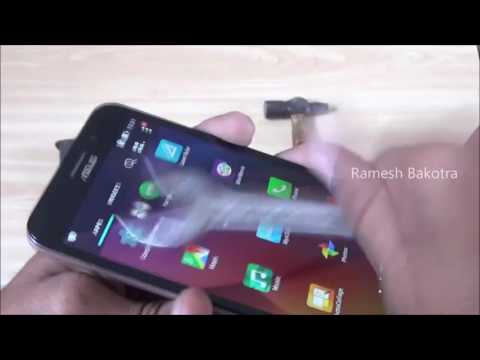
Zenfone MAX Display Stress Test using  Various Damage Making Tools.


Hey, friends... Nowadays users are more suffering from display replacement of Asus Mobile Devices because most of the device splay cost is half of the total phone cost.
I personally have Zenfone 4 and I broke my display by mistakenly and service center charged me 3900rs and the total cost of the phone is 5900.


The high cost of display replacement is might be due to the total Display panel change.. I mean in that display panel we are also changing the Sound Speaker and Notification LED etc. This might be the reason Asus behind the high cost of display replacement. However, now its look like that Asus is concentrating on the strength of the display. We can see the video below that will show you the display break test using some common tools. 


This video was Created by " Ramesh Bakotra ".

You can also download this video to watch later. Use the links below to download in HD or SD.

1. Display Broken Test of Zenfone MAX in SD ( Standard Definition )

This tutorial is based on "DISPLAY STRENGTH TEST OF ZENFONE MAX ". I hope you guys enjoyed, if you have any doubts then comment Below.


Visit again for more fun
                       "Asus ZenFone Blog"
-Vinay

Selasa, 17 November 2015

Android 6.0 Confirmed !!

Android 6.0 Confirmed !!


Yes!! It is now Officially confirmed that Asus will working on Android 6.0 for the Second generation of Asus Android Phones.


 Asus have recently launched a series of Zenfones that are more powerful in software as well as in hardware so the second generations Zenfone will get Update of Android Marshmallow. Unfortunately Asus First generation phone may not get the update. Its because Asus Zenfone 4/5/6 have hardware limitations. There is no official time-table for the update but it has been mentioned that the Zenfone 2 ZE550kl is under develop and testing. 


The following list of devices will get Update to Android 6.0 :


  1. Zenfone 2 ( ZE550ML / Ze551ML )
  2. Zenofne 2 Delux / Special Eddition ( ZE551ML )
  3. Zenfone 2 Laser ( ZE550KG / ZE550KL / ZE500KL / ZE600KL / ZE601KL )
  4. Zenfone Selfie ( ZD551KL )
Also PadFone S is receiving the update.. Stay tuned with us .. If we got any update for Asus First generation Phones then we will happy to update.. 


Source : ZENTALK


This tutorial is based on "Android 6.0 Update Confirm for Asus Second generation devices ". If you have any doubts then comment Below.


Visit again for more fun
                       "Asus ZenFone Blog"
-Vinay


Selasa, 09 Juni 2015

Top 7 Android Custom ROM.

Top 7 Android Custom ROM.


Hello friends. today i am going to discuses about top 7 custom ROM for Android of 2015

Now days  Android devices become more powerful Also it becomes favorite operating system of most of the phones. As a mobile device the customization is also a need of users. and a custom ROM can solve the problem. Now we are going to look for some of the most wanted and popular custom ROM of 2015 . But you must need to root your device before you start installation of these Custom Rom's .


1. Paranoid Android


Paranodia Rom is popular these days. Users are feeling quite perfect with this ROM. This ROM based on android 4.4.2 jelly been. It will Allow the user to change the color scheme in settings menu, multi window feature, better performance and more space to install apps. Its immersive mode the system bar globally. 


2. CyanogenMod


CynogenMOD is also an another ROM used by lots of android Users.  Cynogen assure your to provide the updates of your installed Android OS. it also Allow you to delete pre-loaded Apps which is loaded by the vendor.  It also provide profile option to be used for different users to restrict access for different users. In cynogen mod we can control different button and we can assign different task to each.


3. MIUI


Miui is also Chosen by lots of users because it enhance your everyday efficiency. With this ROM you mark, block, identify unwanted calls with other details.  Its screen allow you to access the notifications from any screen including lock screen. its notification shades allow you to get information in more interactive way. It allow access over 5000 themes for your phone .


4. Slim bean


Simple Bean is another popular Android Custom Rom that focus on providing users simple interface without any error or bug. With the help of this ROM you can update your Android Version only in one click. It uses a custom kernel so that we can take the advantage of better performance and battery backup. It support various Android launcher and display themes with different styles. we can read our notifications even in lock screen.


5. AOKP ROM ( Android open Kang Project)


AOKP is another popular Android custom ROM. If you are lover OS Stoke Android then you should install this Rom on your phone. After installation you will find all option of Rom in ROM control Tab in menu. With the help of this rom we can easily change the height of the navigation bar according to our need. Navigation bar and status bar can also be make transparent with this Rom . We can also design custom Vibration parents to make it easy to identify who is calling when your phone is in your pocket. 


6. Pac-man ROM


It combines the featured of various best Rom like paranoid Android , Cynogen, AOKP and lets you allow to take advantages of these ROM features as it is clear form its name. It provides bug free interface with custom features like set different vibrate mode for different users , Set height of navigation bar , different inbuilt launchers, change predefined patterns of buttons.


7. Carbon ROM


Carbon is Another Good Choice of Custom Rom's for Users. Its quick launching ring features allow you to keep up to four application in the ring for instant access. Its various features are arranged in scroll-able tab according to category wise. we can also change of navigation bar. It allow you to add more options and toggles to menu bars. Quick settings options can be modify up-to five columns and add to navigation bar as traditionally and also added like scroll bar menu.   


These are the Best Custom Rom's for Android. There are many other Custom Rom's available in market but some of are not stable . All the 7 Custom Rom's are best to Install.

Selasa, 02 Juni 2015

ZenFone 6 WW Lollipop Update.

ZenFone 6 WW Lollipop Update.


Hi Guys.. Good news For Asus Zenfone 6 USers. Asus hadd released New Lollipop Update for Zenfone 6. Also Like Zenfone 4 and Zenfone 5 Ita an Ofline Update. USer have to Download the Update manually and have to Install by them self.

Now Lets Talk about What are The changes Comes With lollipop Update.3.
 .

With the System upgrade to lollipop Version Kitkat Will be change to Lollipop.

Some pre-Installd apps Will be removed which is listed below 

1. Battery widget
2. PhotoFrame widget
3. Google Text-To-Speech
4. Movie Studio
5. Cloud Print
6. CMClient
7. Magic Smoke Wallpapers


New Featured are added Are listed Belwo.


1. SuperNote: change to link-downloading version
2. Asuswebstorage: change to link-downloading version
3. Remote Link: change to link-downloading version
4. Lockscreen: remove standalone wallpaper & weather info (only for 1GB RAM device)
5. Quick settings/Recent app layout change (only for 1GB RAM device)
6. Dialer/Contacts: reduce tab count from 5 to 3; remove group tab name/photo; remove foreground service (only for 1GB RAM device)
7. InCall screen: remove inCall animation & cover (only for 1GB RAM device)
8. Fix the problem of losing some files after changing the folder name in File Manager
9. Add KKBOX (link-downloading) (Taiwan only)
10. Add Dr. eye (link-downloading) (Taiwan only)
11. Add Zinio (link-downloading)
12. Add PubuBookBuffet (link-downloading) (Taiwan only)
13. Add eReadingNow (link-downloading) (Taiwan only)
14. Add ASUS Game Center (link-downloading) (Taiwan only)


Offer hot and highly qualified games picked by a team of gaming experts
Offer event privileges and goodies of virtual treasures
Support membership with ASUS, Facebook and Google+ accounts to log in
Offer VIP services: 24/7 online customer service
Support purchase history to overview for games downloaded from ASUS Game Center 

* Please notice that this upgrade will cause some problems of ASUS Contacts widget.
1. Before upgrade, add 4*1 ASUS Contacts widget to Home; after upgrade, the ASUS Contacts widget will always show “loading”.
Solution: Remove old 4*1 ASUS Contacts widget and re-add new 4*1 ASUS Contacts widget to Home.
2. After upgrade, the information in 4*3 ASUS Contacts widget Solution: Re-add information into 4*3 ASUS Contacts widget.


* Please notice that this upgrade will cause some problems of ASUS Contacts widget.
1. Before upgrade, add 4*1 ASUS Contacts widget to Home; after upgrade, the ASUS Contacts widget will always show “loading”.
 Solution: Remove old 4*1 ASUS Contacts widget and re-add new 4*1 ASUS Contacts widget to Home.
2. After upgrade, the information in 4*3 ASUS Contacts widget will disappear.
 Solution: Re-add information into 4*3 ASUS Contacts widget.

* No longer support NTFS format SD card. Please remember to backup your SD card data before upgrade to Android L with following steps:
1. Connect your ZenFone and computer with USB cable
2. Enter your ZenFone storage via computer
3. Select all data and copy it. Paste all your SD card data to your computer


__________________________________________________________

Now Follow the Steps below to install.

Steps of Update: 
1. Check software version of your device**
2. Download device software and Update SOP (From “Manual” Item)
3. Only apply to same SKU update, Example: WW->WW, CN->CN, TW->TW.
4. Software update cannot transfer the software SKU and downgrade the software version.
5. Wrong SKU may cause update failure, please update the same SKU version only.
*How to know the device model? 
Path: Settings->About-> Model number
Example: ASUS_T00I
**How to know the device software version? 
Path: Settings->About-> software information->Build number
***System upgrade may cause part of data missing, please buckup your important data before system upgrading.


__________________________________________________________

Download : Version WW_3.23.40.52(androidL)


Version WW_6.3.3.3(downgrade version)


Version WW_6.2.2.2(downgrade version)


Feel Free To Ask Your Doubts.


Senin, 01 Juni 2015

Zenfone 5 NEW OTA update Detail !

Zenfone 5 NEW OTA update Detail !


Hi guys ..

After upgrading Zenfone 5 to lollipop, Users Are facing lots of problem . they are complaining about battery drainage, Call Function not working properly and many more.  Now Asus started to resolving users issue .

 Today Asus has released update for Zenfone 5 A500CG/A501CG about fixing the  no sounds during phone issue.

This update will provided VIA OTA . After updating phone Software Version Will be Changed to Latest (V2.22.40.54_20150527)


For Update Go to Settings > About > Check for update.

For Feture updates Suscribe for Email notification. Stay tuned for latest news

Minggu, 31 Mei 2015

Download Official Lollipop for Zenfone 5 (TOOF/TOOJ).

Download Official Lollipop for Zenfone 5 (TOOF/TOOJ).


Hello Guysz... today I am going to give You the Download links of Lollipop for Zenfone 5 (TOOF/TOOJ)


Get Ready to Download And install lollipop For Zenfone 5.

For Installation you Must Have In latest Firmware (V2.22.40.53)

Installation instruction ..

1. Download the update package
2. Connect Mobile To PC/Laptop.
3. Copy the file to root storage of your phone memory.
4. Unplug usb Cable From PC  and you will get Notification About the Update. 

Click Here to go to Video tutorial page for Manual Upgrade of Zenfone


* No longer support NTFS format SD card. Please remember to backup your SD card data before upgrade to Android L with following steps:
1. Connect your ZenFone and computer with USB cable
2. Enter your ZenFone storage via computer
3. Select all data and copy it. Paste all your SD card data to your computer


Download lollipop version Version WW_3.23.40.52(android L)

File Size
717,21 (MBytes)2015.05.31  update
Download from
  Global


Enjoy!!!


Jumat, 29 Mei 2015

Lollipop Update for Zenfone 450 WW.

Lollipop Update for Zenfone 450 WW.


Hi Friends. Lollipop Is Released for Zenfone 4.5 From 28 Of this Month. Its not a OTA update , Its a offline update so You have to Download Files and manually upgrade.

Attention::: For installing Update to lollipop  Your Phone must Latest update of Kitkat.


Download Links:

Upgrade too lollipop Version WW_5.3.3 (Android L)


DescriptionASUS ZenFone 4(A450CG) software Image: V5.3.3 (Android L) for WW SKU only*
Note1. Please unzip the file first then put the file to the device root directory


* Please note that Android 5.0 Lollipop does not support some pre-installed apps. The listed apps below will be removed once the Android 5.0 Lollipop upgrade is complete.

1. Battery widget
2. Google Text-To-Speech
3. Movie Studio

* Please notice that below new apps will be added in this system upgrade.
1. TripAdvisor
2. Gameloft
3. CleanMaster
4. ASUS Auto-start Service Manager:
Prevent unwanted apps from automatically starting up and using RAM
Stop services immediately and prevent Android from restarting these apps again

* Please notice that some feature changes in this system upgrade.
1. Lockscreen: remove standalone wallpaper & weather info
2. Dialer/Contacts: reduce tab count from 5 to 3; remove group tab name/photo
3. InCall screen: remove inCall animation & cover
4. Quick settings/Recent app layout change

For more information please refer to:
TW:http://www.asus.com/zentalk/tw/ReleaseNotes
WW:http://www.asus.com/zentalk/ReleaseNotes

Steps of Update:
1. Check software version of your device**
2. Download device software and Update SOP (From “Manual” Item)
3. Only apply to same SKU update, Example: WW->WW, CN->CN, TW->TW.
4. Software update cannot transfer the software SKU.
5. Wrong SKU may cause update failure, please update the same SKU version only.
*How to know the device model?
Path: Settings->About-> Model number
Example: ASUS_T00I
**How to know the device software version?
Path: Settings->About-> software information->Build number
***System upgrade may cause part of data missing, please buckup your important data before system upgrading.
File Size793.98 MBytesupdate 2015/05/28
Download fromGlobal
If in case You Downt SatisfiedWith lollipop upgrade You can Downgrade Phone BAck to Kitkat.

To downgrade From Lollipop to kitkat . Download the Firmware Below . It will downgrade To latest kitkat

Version WW_4.5.1 


DescriptionASUS ZenFone 4(A450CG) downgrade SOP (Downgrade from L to KK),
Only for WW SKU*
Notice:
1. Only apply to same SKU update, Example: WW->WW, CN->CN, TW-
>TW.
2. Software update cannot transfer the software SKU and
downgrade the software version.
3. Downgrade image will only revert back to latest KK version
4. After OTA downgrade, device will perform factory reset
automatically.then reboot automatically to complete upgrade
process
5. System upgrade may cause part of data missing, please buckup
your important data before system upgrade


Downgrade Step (From L to KK)
1. Download the downgrade tool and unzip: "UL_ASUS_T00Q_WW_9_9_10.zip"
2. Using MTP connecting A450CG with PC. (Enable MTP: Setting--
>Storage-->press the USB icon on right corner--> Enable MTP)
3. Copy the tool (V9.9.10.0) to the A450CG internal storage.
4. Remove the USB cable, the device will pops up the system
upgrade information.
5. After downgraded, device will auto reboot and perform factory
reset.
6. After finished, please go to Settings->About-> software
information->Build number. The version should be V4.5.1
File Size878.55 MBytesupdate 2015/05/28
Download fromGlobal
Enjoye Lollipop


5.0.1 lolippop Comming Soon ... :D